mtty Terminal · editor · agents
An AI-native terminal and editor,for local and remote work.
Terminals, files, remote hosts and your AI coding agents in one fast, native window — the same tabs and splits for all of them. Written in Rust, GPU-rendered, held to a performance gate. No account, no forced cloud: mtty hosts the agents you choose and never calls a model itself.
The application ships as mtty (called miaotty up to v0.0.5); the source lives in mtty.
- macOSApple silicon · Intel
- Linux.deb · AppImage · tar
- WindowsMSI · zip
Pre-release. The API is not stable yet. macOS is the primary platform; Windows and Linux are built, tested and checked on real desktops. Apple notarization and Windows MSI signing are still pending.
- Terminal and remote
- GPU-rendered tabs and splits, a host library, SFTP, port forwarding and jump hosts, over your own OpenSSH.
- Editor
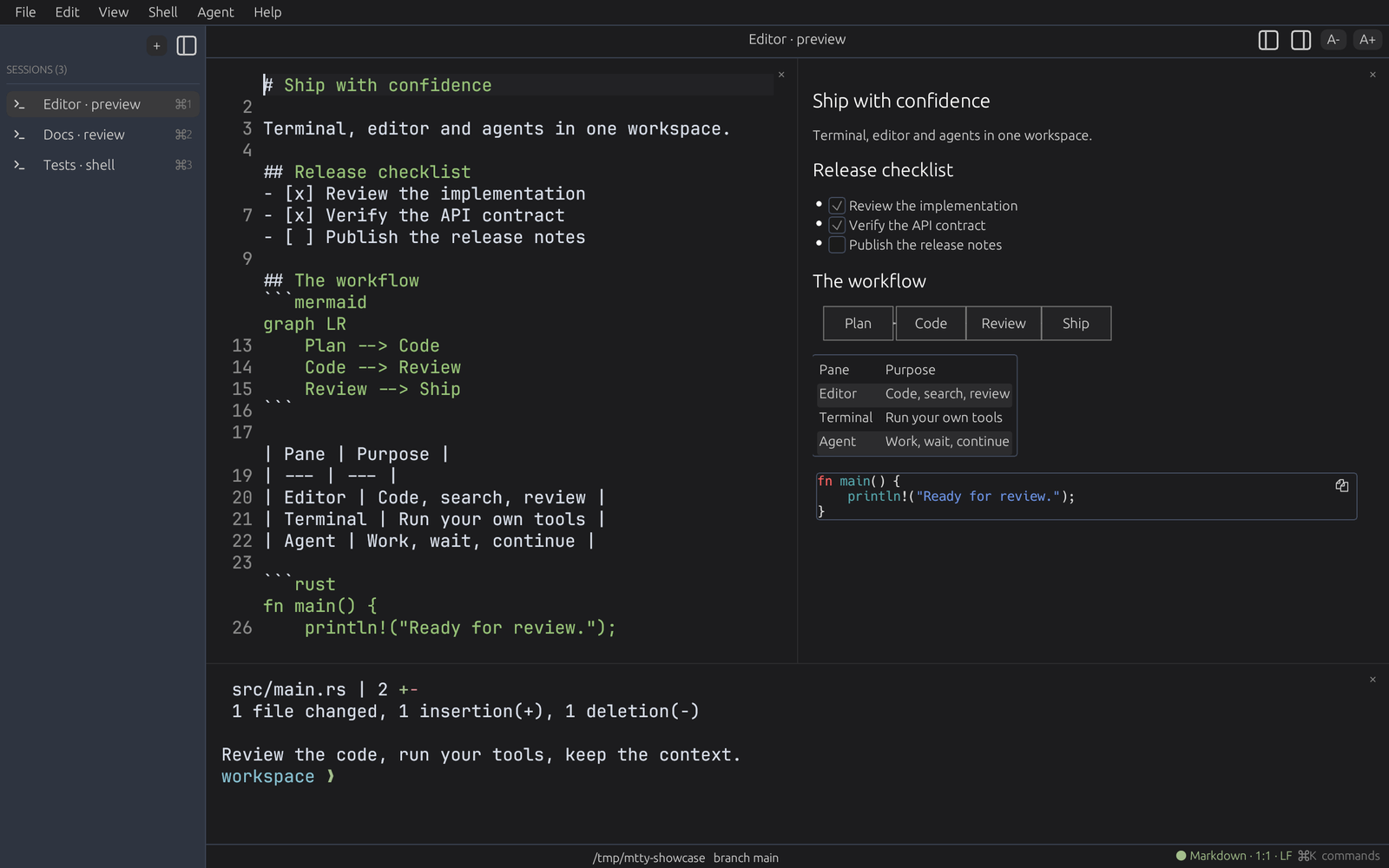
- A built-in viewer and editor with Markdown and Mermaid preview, held to a 100 MB performance gate.
- Agent workspace
- Claude Code, Codex, OpenCode and miao report idle, processing, awaiting or error — a tab badge, a notification and a prompt queue.
00 three pillars
One window for the terminal, the editor and the agents.
Terminal and remote
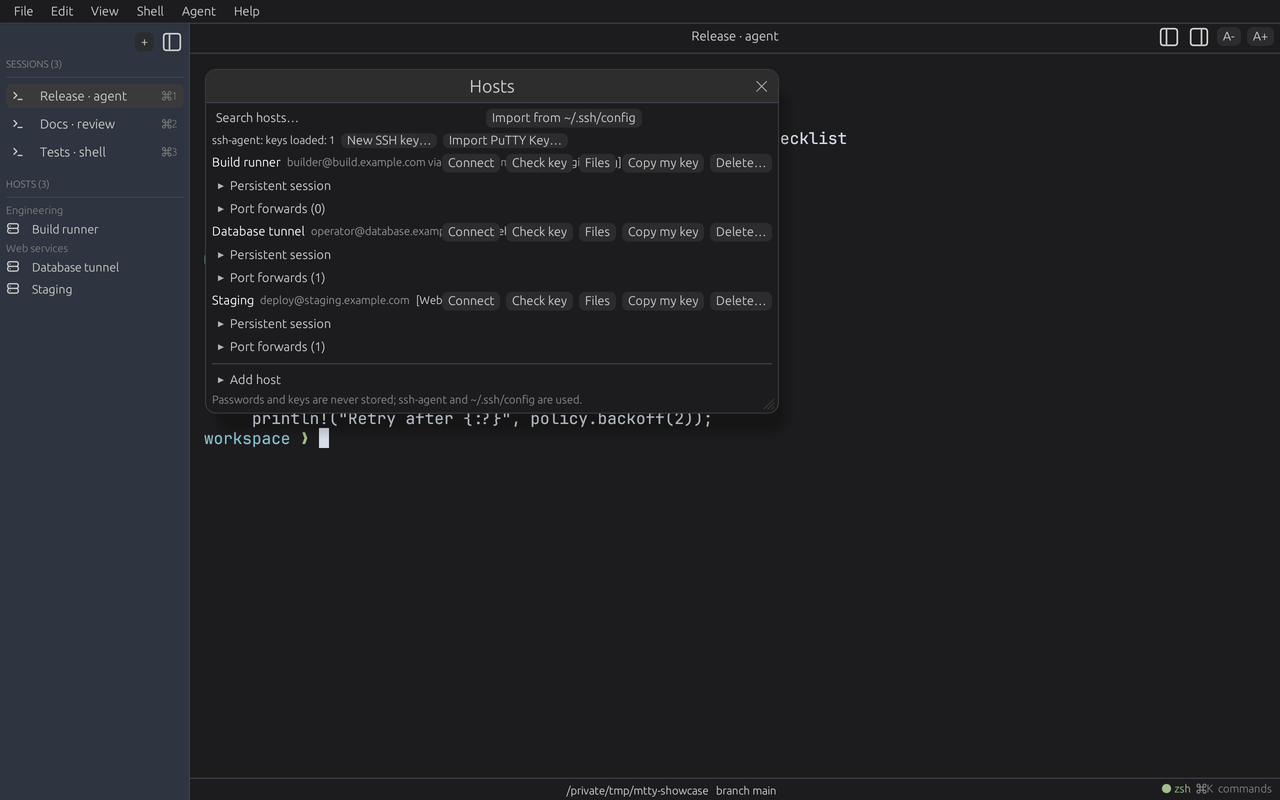
Absorbs Termius and PuTTYToday. GPU-rendered terminal, tabs and splits, session restore. Host library, keys, SFTP and FTP, port forwarding, jump hosts, snippets and broadcast input, over your own OpenSSH.
Next. Serial, Telnet and raw TCP sessions, .ppk keys; a Rust-native SSH stack is under consideration.
Editor
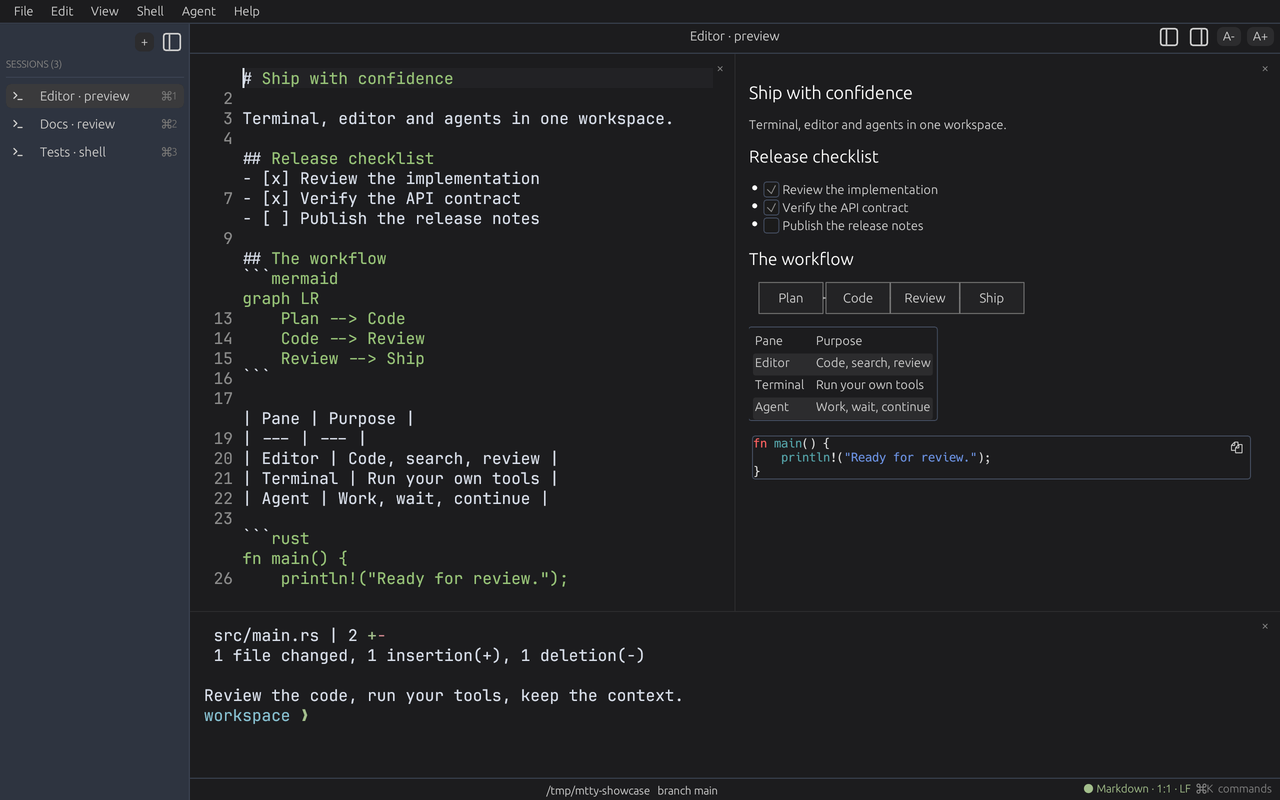
A first-class editor, not a side featureToday. A built-in viewer and editor with Markdown and Mermaid preview. The editing core — rope buffer, multi-cursor, undo, search — is done and gated at 100 MB.
Next. An editor pane beside your terminals: tree-sitter highlighting, LSP, large files at full speed.
Agent workspace
Absorbs Superset, AI-nativeToday. State from Claude Code, Codex, OpenCode and miao; badges and notifications when one needs you; a prompt queue; a git worktree per task with diff review; a scriptable control plane.
Next. Agents' edits reviewed inline as undoable diffs, an ACP client, and selections, diagnostics or terminal output sent to an agent in one step.
01 engine first
The engine and the app are separate on purpose.
Dependencies point inward only — host, then renderer, then core — and the core has no windowing or GPU code, so it can be embedded in something else. The app is the engine's first consumer, not its owner.
The hot path takes no locks and allocates nothing per frame.
mtty-widgetwinit + wgpu render loop; composites egui chrome in the same framemtty-renderwgpu + glyphon glyph grid; quad and image pipelinesmtty-corePTY, VT parsing, grid and scrollback, selection, search, OSC, input encodingmtty-graphicsmtty-configmtty-mtpmtty-ui02 measured
Budgets enforced in CI.
Every metric has an absolute budget with generous headroom: an order-of-magnitude regression fails the build, runner jitter does not.
VT parse throughput
73 MB/s
Budget ≥ 25 MB/s
Screen snapshot, 30 rows
0.012 ms
Budget ≤ 2 ms
Row build per frame
0.12 ms
Budget ≤ 4 ms
Palette rank, 10k entries
2.0 ms
Budget ≤ 100 ms
Baselines are release builds on an M-series Mac. Frame time and key-to-glyph latency need a real window and GPU, so they are measured by hand rather than gated.
03 the workspace
More than a window with a prompt in it.
Tabs and splits
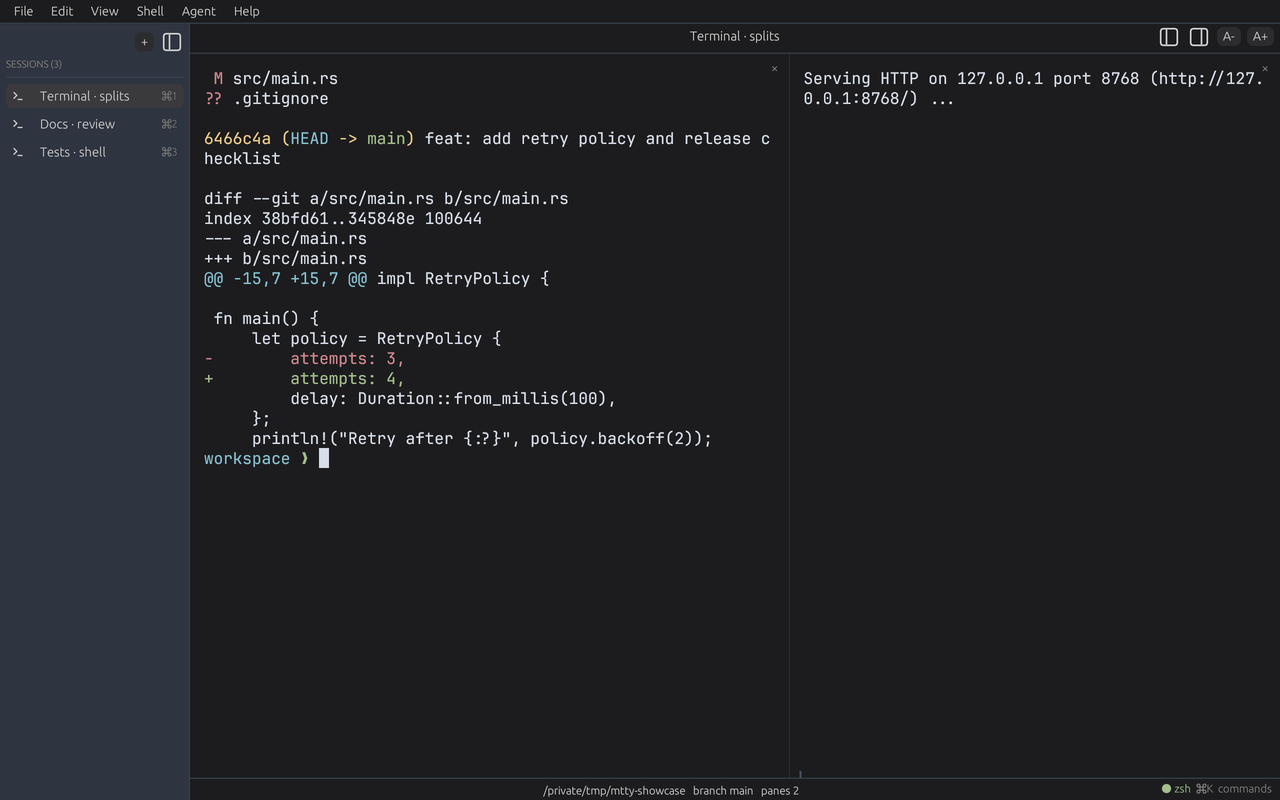
⌘D ⇧⌘DA recursive split tree with draggable dividers. Tabs can be marked and grouped, and both survive a restart.
Open Quickly
⌘KOne palette over tabs, agents, snippets, hosts, files in the current folder, recent files and commands.
Details panel
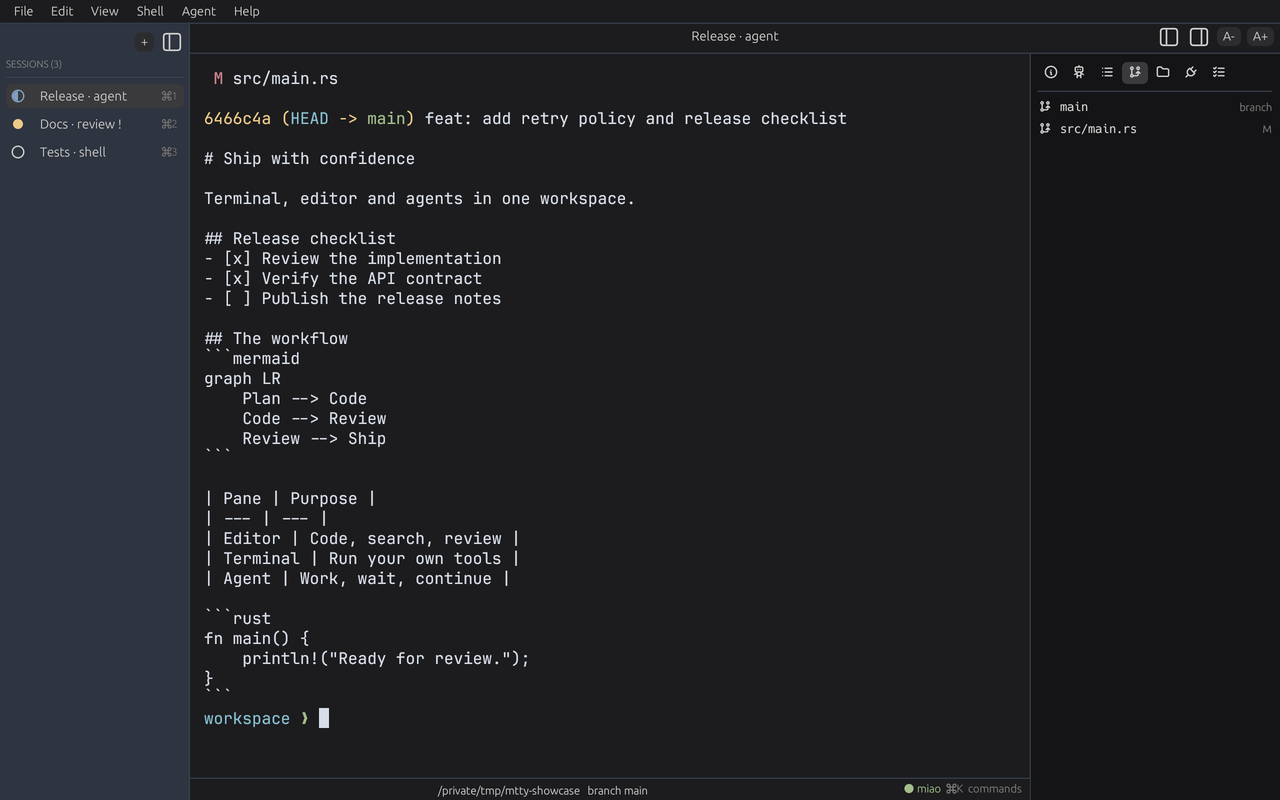
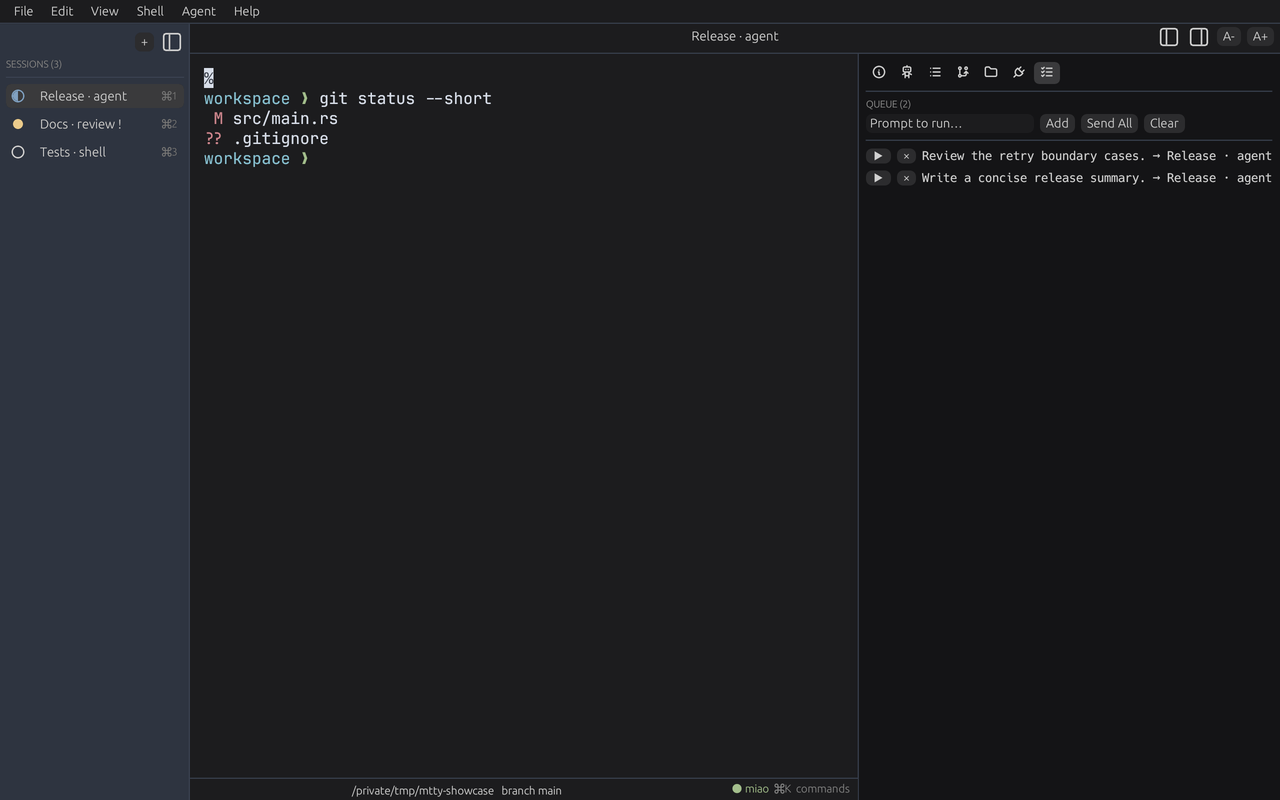
⌥⌘DInfo, Agent, Outline, Git, Files, Ports and Queue, beside the terminal.
Reader and editor
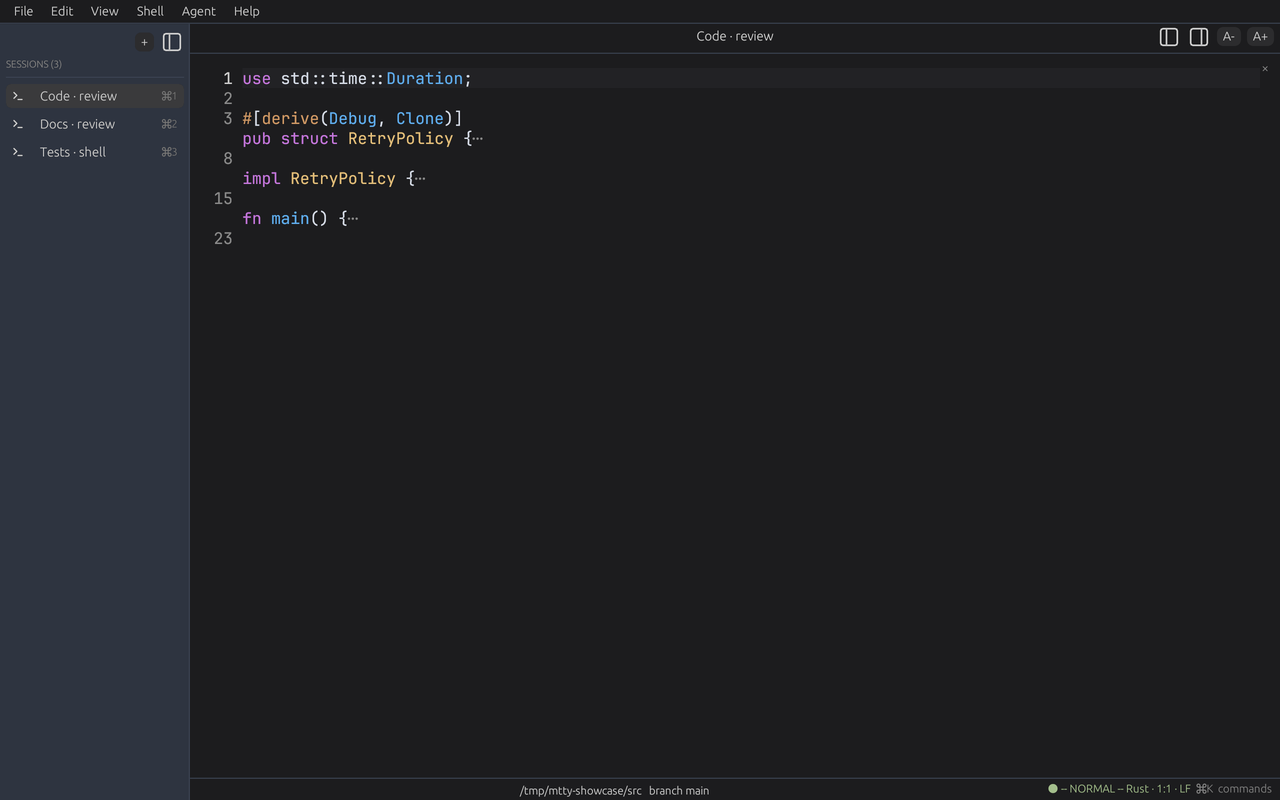
⌘-openLine numbers, an opt-in minimal vim mode, Edit in Tab with your own editor, and CommonMark with built-in Mermaid subsets.
Inline graphics
on by defaultSixel, Kitty and iTerm2 images drawn in the grid; they scroll with the content and clip to the pane.
Real terminal behaviour
⌘FVT via alacritty_terminal, CJK layout with system font fallback, find with highlighting, the kitty keyboard protocol.
Brings your config
config.tomlImports ghostty and alacritty settings on first run. zsh integration arrives through a ZDOTDIR shim; your dotfiles are never modified.
Remote files over ssh
sshView and edit a remote file through the pane's ssh ControlMaster connection, with a zero-install terminfo bootstrap.
Agent state, at a glance
hookAgent CLIs report idle, processing, awaiting or error. It becomes a tab badge, the Agent panel, a notification and a prompt queue.
The pane's own task list
⌥⌘DThe Outline panel keeps the commands run in this pane, with their directory, so the work of a session stays visible beside it.
04 the screens
Every feature, seen in the real app.
Fresh captures from the current development build, using an isolated example project: agent badges, live preview, inline edit review, hosts, splits and the details panels. Agent-state events and edit proposals are driven through the real control plane; the host addresses are examples.




05 built for agents
It knows what the agent in each pane is doing.
Agents report idle, processing, awaiting or error. mtty turns that into a badge on the tab, a system notification when one needs you, a sleep guard while one is working, and a prompt queue that sends the next message once the pane goes idle.
- miao
- Reports its state from a built-in integration. Nothing to wire up.
- Other agent CLIs
- mtty detects them, installs a state hook script and copies the snippet for you to add. Your agent's config is never edited for you.
- Composer ⌘⇧E
- A multi-line prompt editor that sends to the focused pane.
06 scriptable
A control plane other programs can drive.
MTP speaks newline-delimited JSON over a per-user socket created with owner-only permissions — a named pipe on Windows. Every response carries a state revision; clients can block until it moves, or subscribe to an event stream instead of polling.
Serving it over TCP requires a token, and a capability allowlist can restrict what is accepted. The control plane runs commands in your shell, so treat the token as a secret.
$ mtty-cli pane list
$ mtty-cli pane run --pane ID --data "cargo test"
$ mtty-cli events --topic agent.state
$ mtty-cli wait --since 42
$ mtty-cli view ./README.md
$ mtty-cli file read --path /etc/hosts   # ≤ 2 MB
07 keyboard
Shortcuts
- ⌘T
- New tab
- ⌘D / ⇧⌘D
- Split right / down
- ⌘K
- Open Quickly
- ⌘F
- Find
- ⌥⌘D
- Details panel
- ⌘⇧E
- Composer
- ⌘⇧T
- Quick Terminal
- ⌘⇧Z
- Reopen closed tab
- ⌘,
- Settings
⌘ on macOS; the equivalent primary modifier elsewhere.
Try the preview.
or build it
$ git clone https://github.com/oxdingzg/mtty.git && cd mtty
$ cargo run --release -p mtty-app